


Elevate Every Connection with Mercusys.
Experience reliable, high-performance networking at exceptional value. Enjoy up to 44% OFF on selected Mercusys networking solutions.




*Prices are subject to change without prior notice.
*Product images are for illustration purposes only. Actual product, specifications, features, and packaging may vary and are subject to change without prior notice.

|
Model |
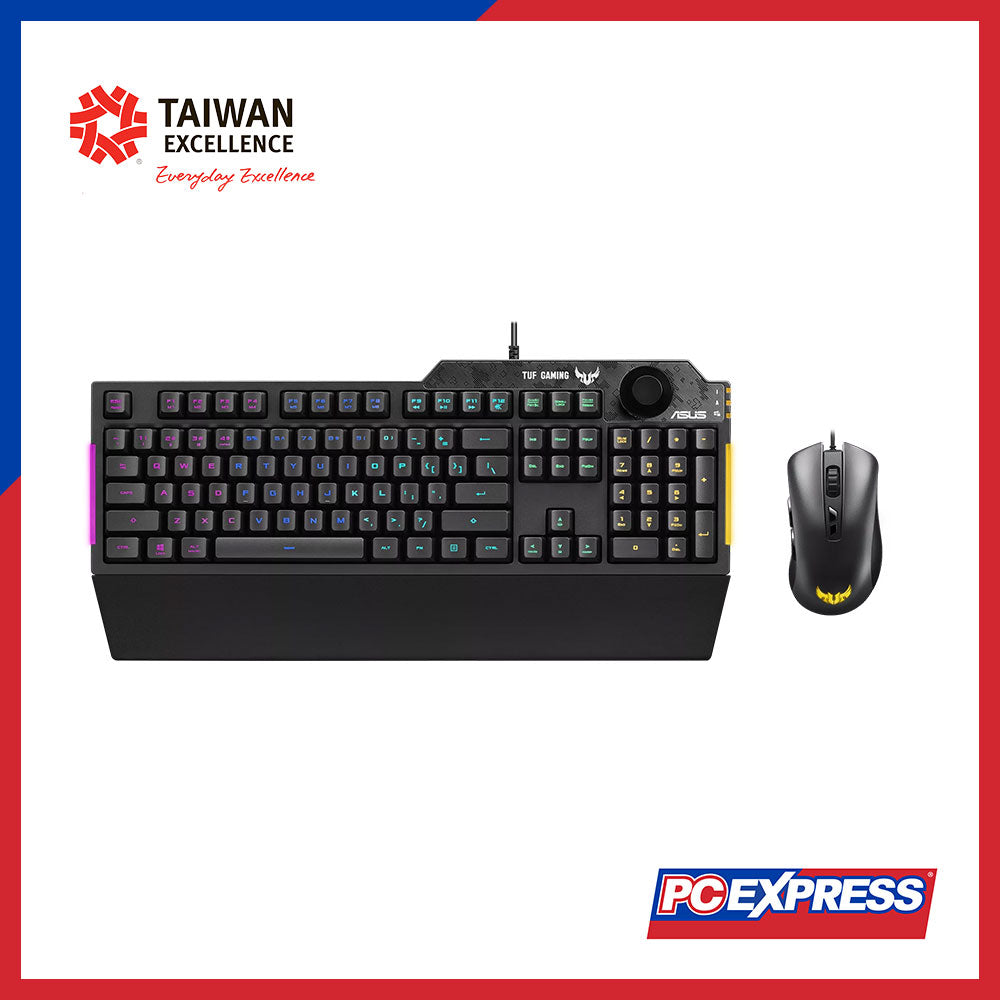
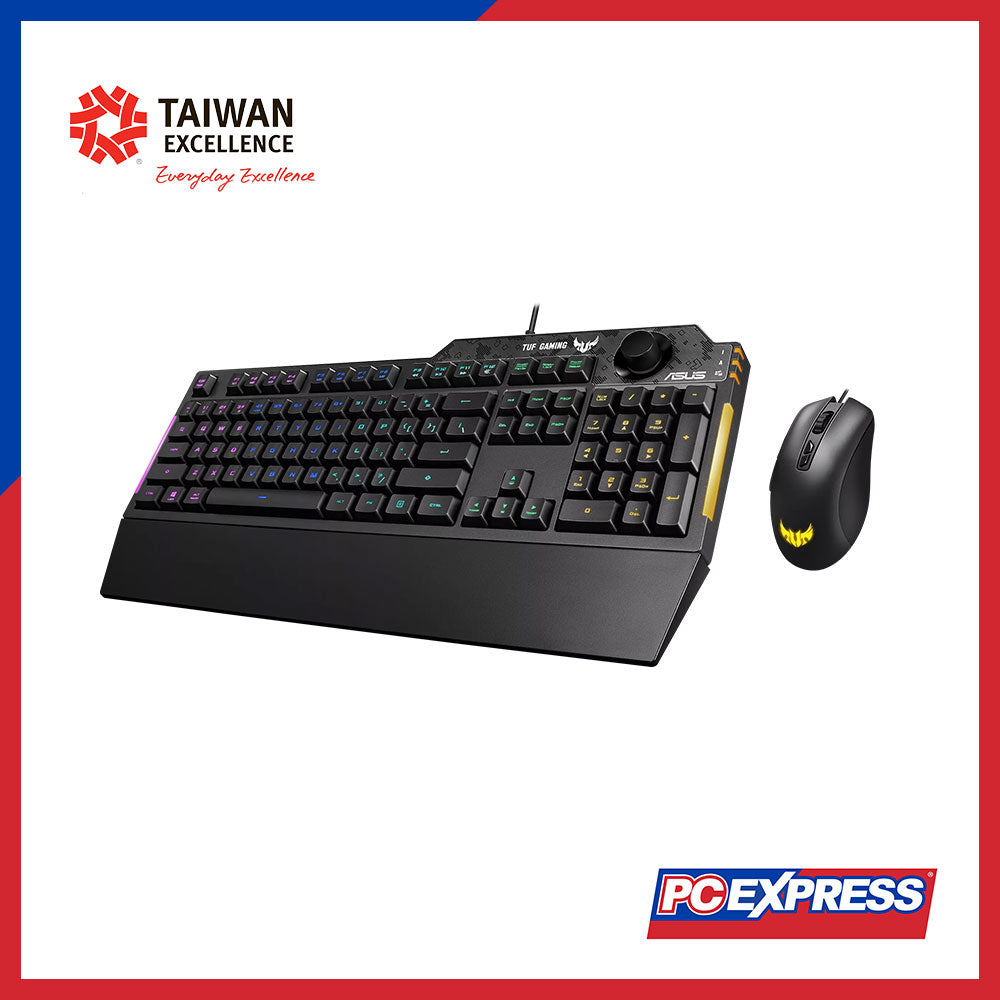
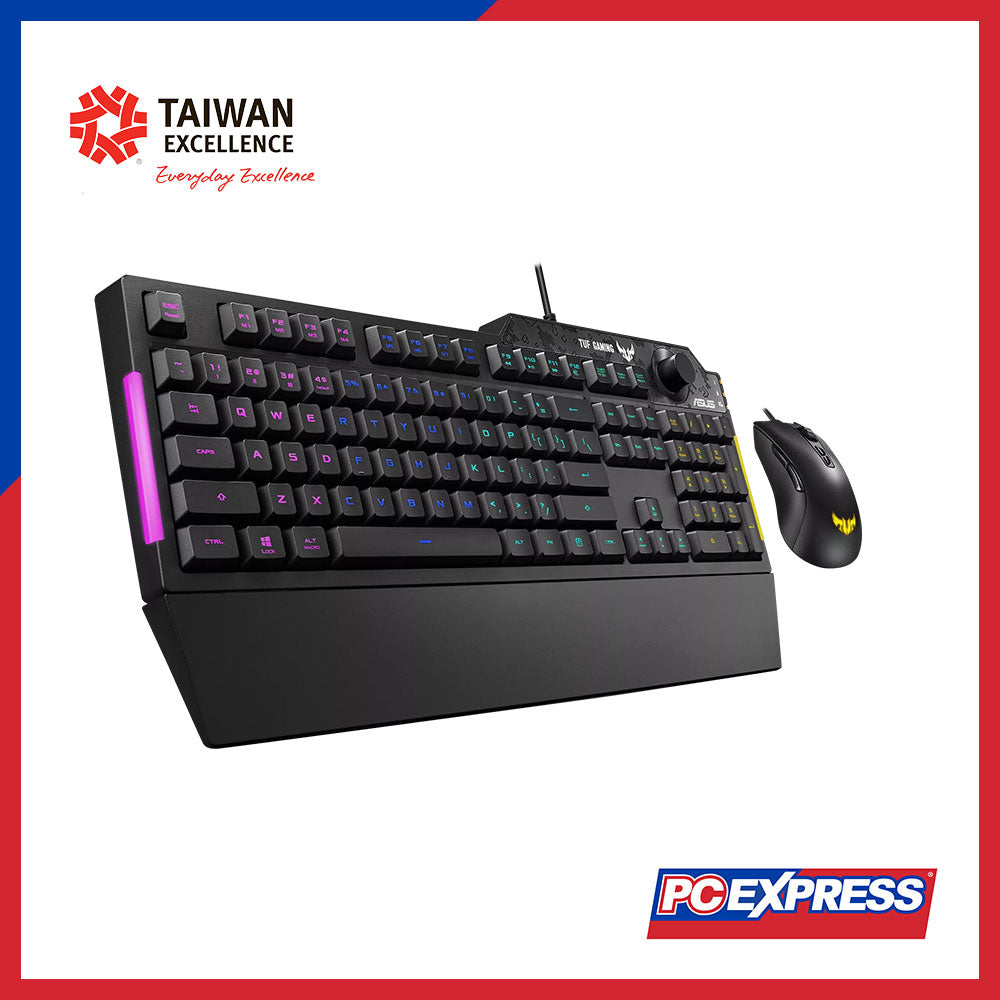
TUF Gaming Combo K1&M3 |
|
Key Switch |
- Keyboard: Membrane |
|
- Mouse: 20M |
|
|
Connectivity |
USB 2.0 (TypeC to TypeA) |
|
Voltage |
5V |
|
Size (Full/TKL) |
100% |
|
Lighting |
- Keyboard: 5-zone RGB |
|
- AURA Sync |
|
|
Anti-Ghosting |
19 keys rollover |
|
Macro Keys |
- On-the-Fly Macro Recording: |
|
- Step 1: Fn + Right-ALT to Start Recording |
|
|
- Step 2: Fn + Right-ALT to End Recording |
|
|
- Step 3: Assign Macro Key |
|
|
USB Report Rate |
1000 Hz |
|
Profile Hot Keys |
- Fn + 1/2/3/4: Profile 1 - 4 (4 is the Default Profile) |
|
Lighting Effects Hot Keys |
- Fn + Right or Fn + Left |
|
Brightness Setting Hot Keys |
- Fn + Up or Fn + Down |
|
Color Setting Hot Keys |
- Fn + Delete: Red Increase (10 Levels) |
|
- Fn + End: Green Increase (10 Levels) |
|
|
- Fn + PageDown: Blue Increase (10 Levels) |
|
|
Clear On-Board Memory Hot Keys |
Hold Fn + ESC for 15 Seconds |
|
Macro Hot Keys |
F1-F8 keys Programmable On-the-Fly Macro Recording: |
|
- Step 1: Fn + Right-ALT to Start Recording |
|
|
- Step 2: Fn + Right-ALT to End Recording |
|
|
- Step 3: Assign Macro Key |
|
|
WIN Lock Key |
Yes |
|
Media Hot Keys |
- Forward (F9) |
|
- Play/Pause and Stop (F10) |
|
|
- Backward (F11) |
|
|
- Mute/Unmute (F12) |
|
|
Cable |
1.8m |
|
OS |
- Windows® 10 |
|
- Windows® 11 |
|
|
Software |
Armoury Crate |
|
Dimensions |
- Keyboard: 451 x 155 x 36 mm |
|
- Wrist Rest: 451 x 66 x 18 mm |
|
|
- Mouse: 118.2 x 68 x 40 mm |
|
|
Weight |
- Keyboard: 810g |
|
- Wrist Rest: 95g |
|
|
Color |
- BLK |
|
- Gun Metal Gray |
|
|
Contents |
- 1 x TUF GAMING K1 gaming keyboard |
|
- 1 x Wrist rest |
|
|
- 1 x TUF GAMING M3 gaming mouse |
|
|
- 1 x Quick start guide |
|
|
- 1 x Warranty booklet |
Elevate Every Connection with Mercusys.
Experience reliable, high-performance networking at exceptional value. Enjoy up to 44% OFF on selected Mercusys networking solutions.

Thinking of upgrading this school year? Your target laptop might already be on the list
Swipe through the carousel to check out at PC Express and find the deal that fits your student era best. Acer Bag of Deals.
Laptop Back to School.
Laptop Best Deals.

Back to School just got better! Upgrade to a Lenovo device and get up to Php5,000 in Grab vouchers—perfect for school runs, study breaks, and daily essentials. Smart choice for students and parents!


It’s time to start The Hunt for Power. Score discounts plus get up to ₱5,000 SM e-vouchers of your choice, and exclusive bundles with MSI. Upgrade now and take control of your performance.

Head to PC Express SM Makati on July 11 to 18 and score the hottest tech deals of the season! Whether you're upgrading your laptop, building your gaming setup, or shopping for must-have gadgets and accessories, this is your chance to SAVE BIG!


Your dream tech setup is now more affordable!
Get ₱300 to ₱1,000 OFF on select Taiwan Excellence products when you avail through Home Credit Installment at PC Express!

How PC Express and NVIDIA filled the SM Makati Cyberzone event area for one afternoon of real AI, real hardware, and real presence.

D-Link has achieved a major milestone by joining SpaceX's supply chain, securing an order to supply 20,000 network switches for the Starlink low-Earth orbit satellite network. Scheduled for shipment starting in September 2026, the partnership underscores D-Link's growing reputation for delivering secure, high-performance networking solutions for mission-critical global infrastructure.


Relive the excitement of PC Express Battle Arena LIVE: HyperX League – Araneta held at SM Araneta City from June 5–7, 2026. Featuring Tekken 8 tournaments, NBA 2K26 challenges, Forza Horizon leaderboards, HyperX Aim Lab competitions, Just Dance Philippines, AMD-powered PCX Desktop systems, raffle prizes, and Piso Auctions.


